Clear the path,
one task at a time.
A calm, private home for the things between you and a clear day — tasks, money and receipts, set like a quiet newspaper. Share the load with your family, or keep it entirely to yourself — on iPhone, iPad, Mac, Apple Watch and Android. Apple devices sync privately over your own iCloud.
Now on Android, too.
Every screen, considered.
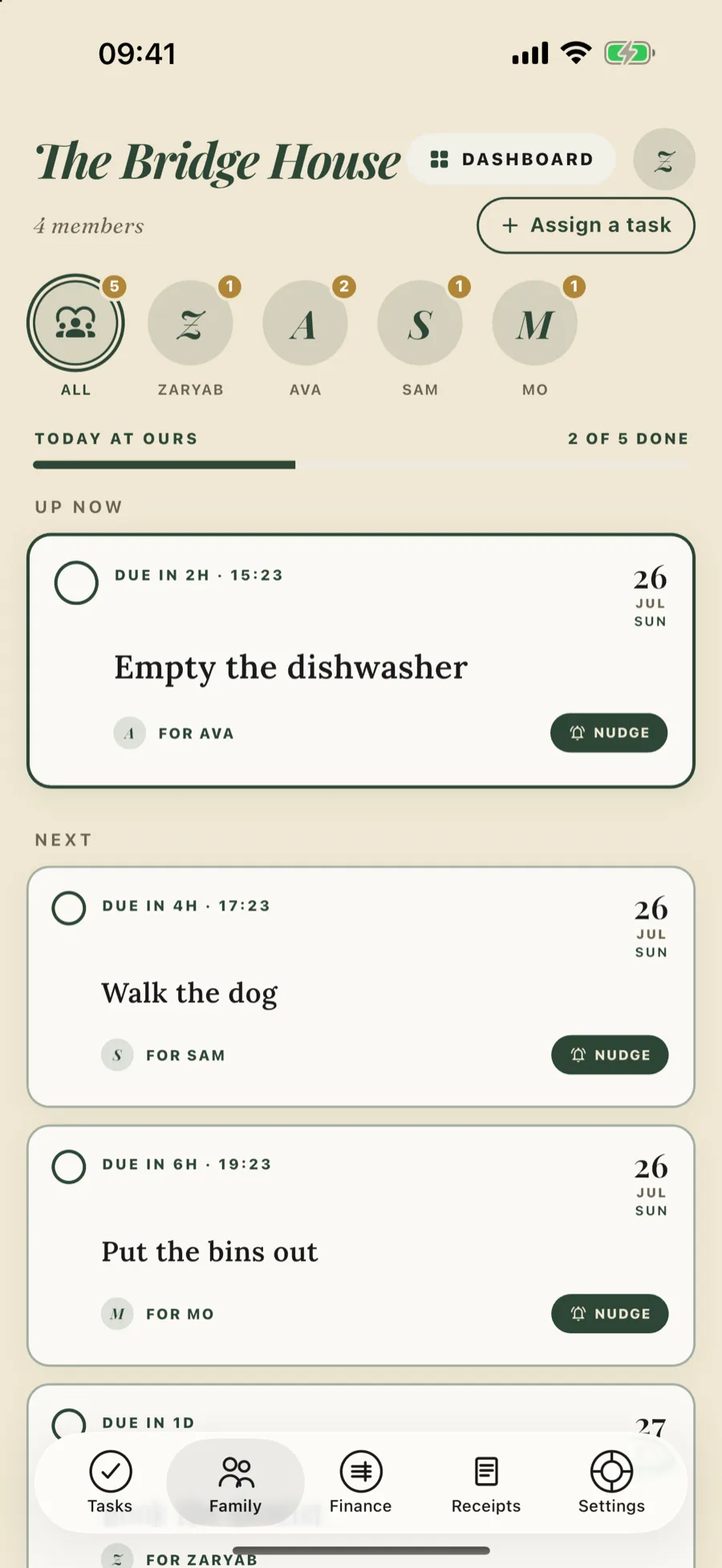
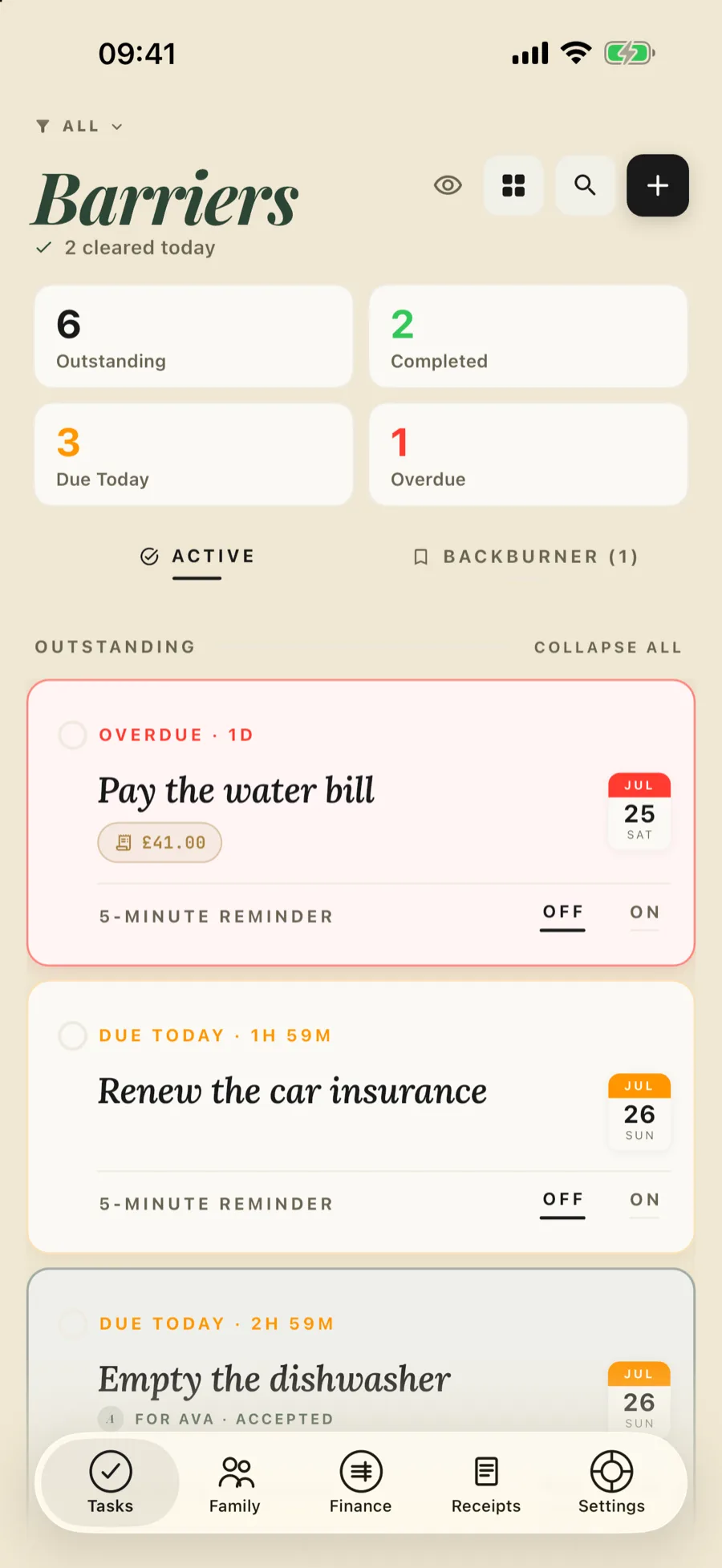
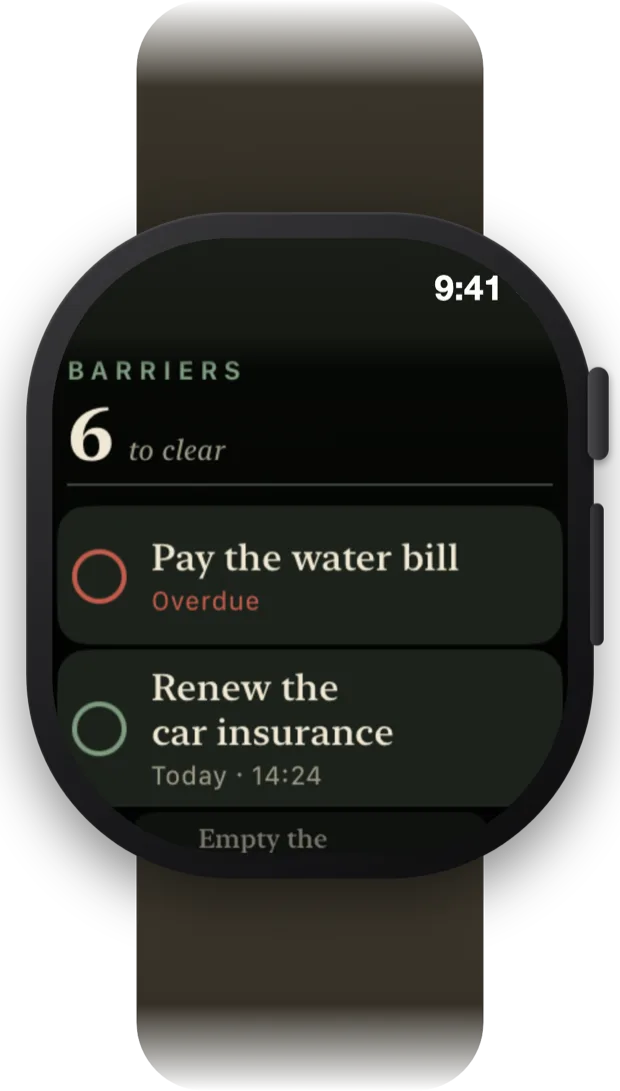
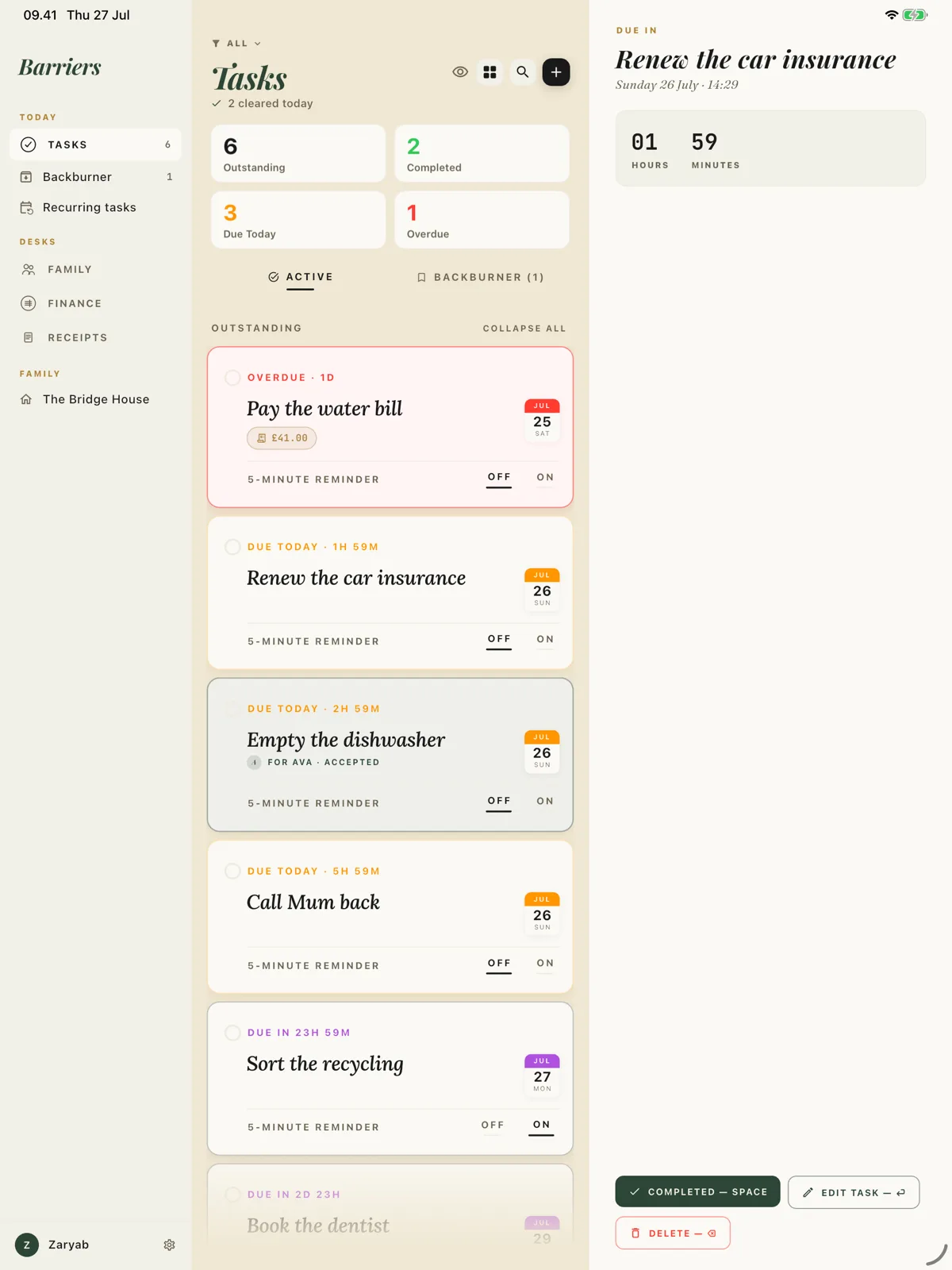
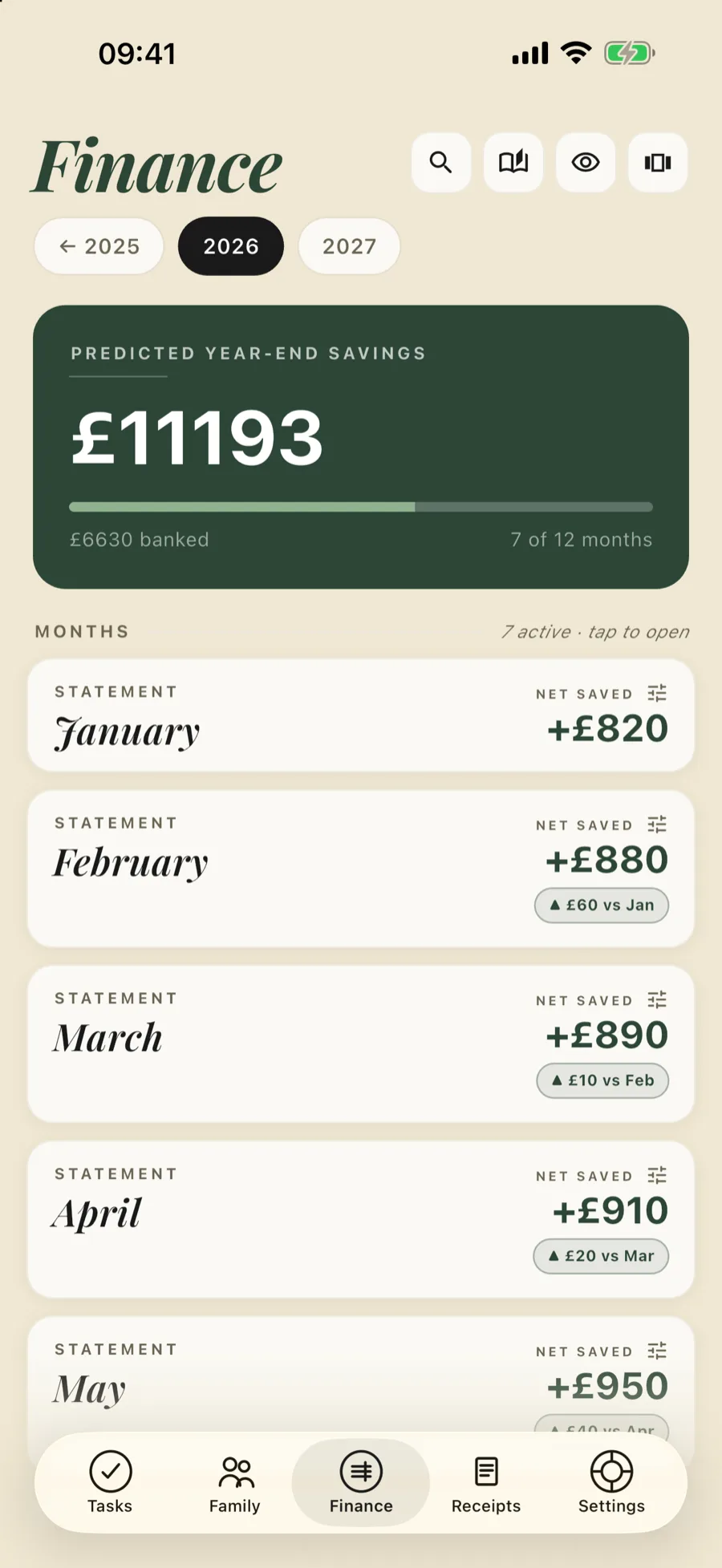
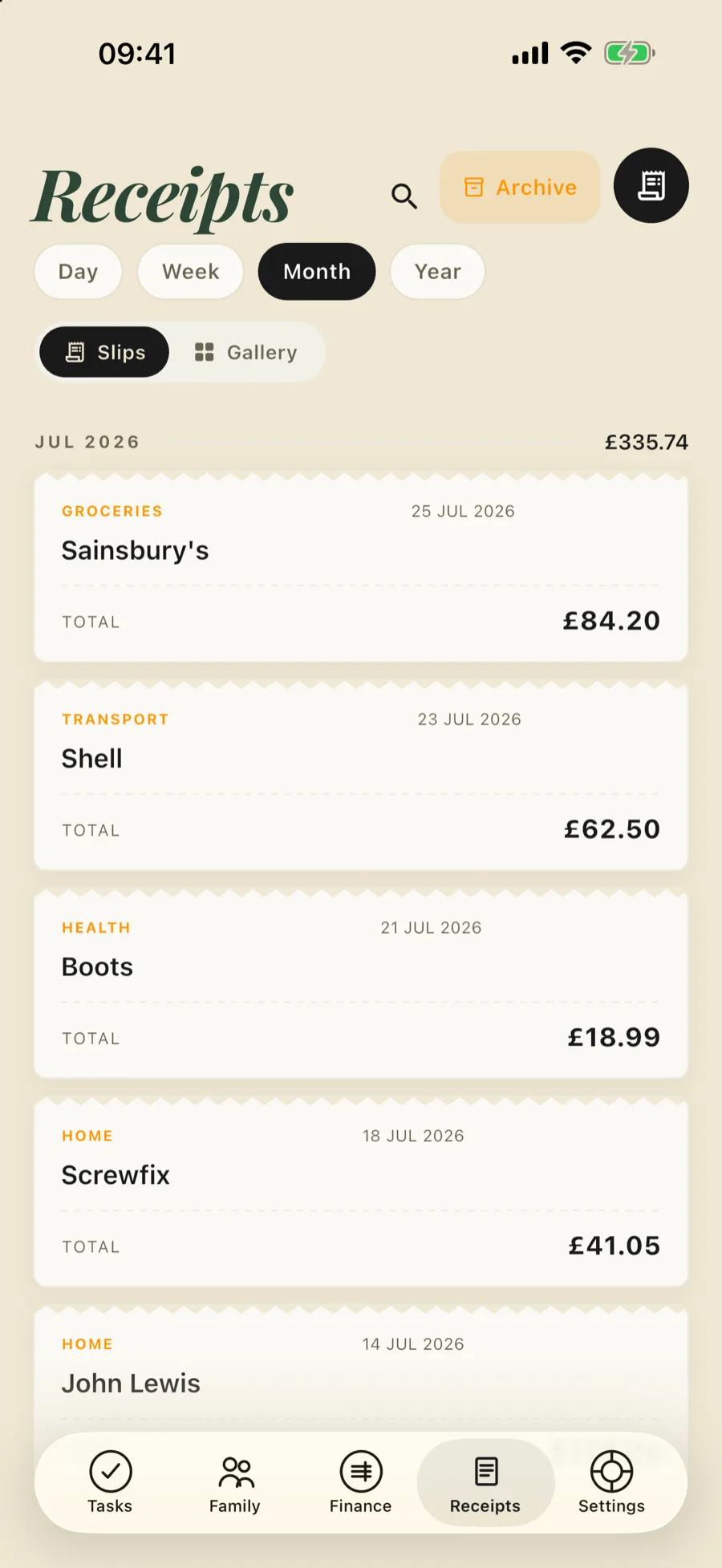
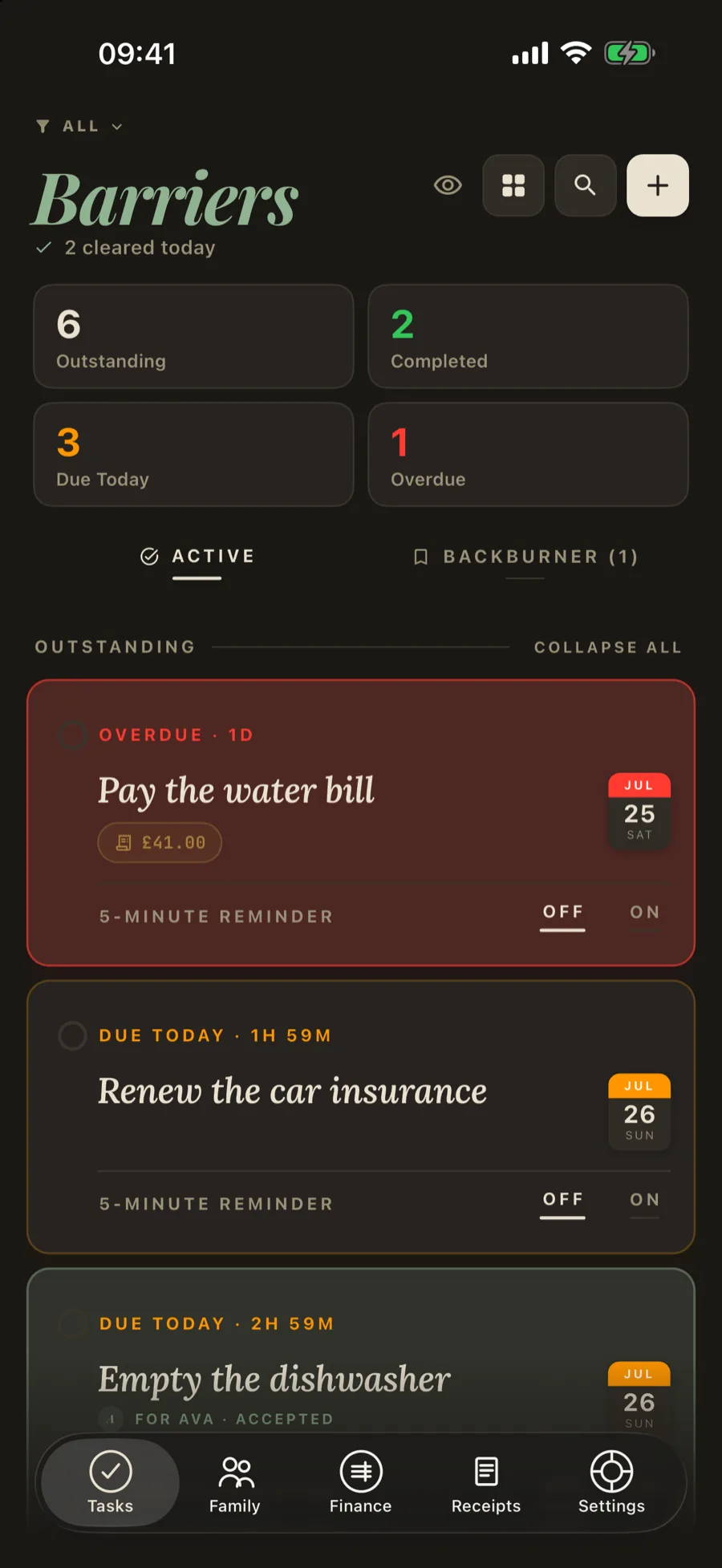
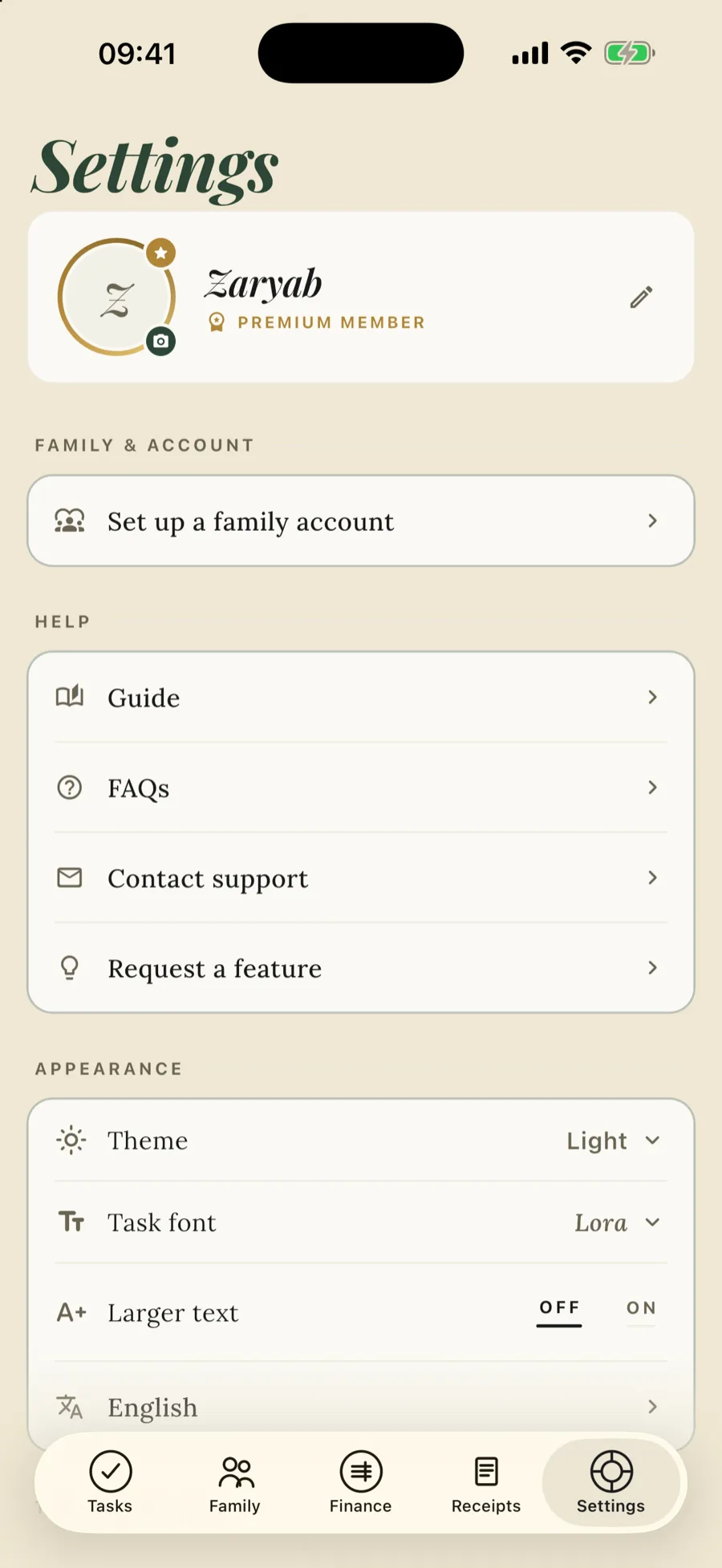
Actual screens from Barriers — tasks set like headlines, your list on the wrist, the iPad newsroom, statements that total themselves, receipts read on-device, and the Night Edition for after dark.
Everything between you and Friday.
Three tabs, one quiet app — and a handful of touches that do the chasing for you.
Tasks
Smart-default deadlines (Tonight / Tomorrow / Next week), a five-minute flag for the things you keep putting off, a Backburner for someday — and an end-of-day wrap-up that celebrates a cleared list or gently rolls the rest to tomorrow.
Recurring tasks
Set up monthly bills or weekly chores once — on exactly the weekdays you choose. They reappear on schedule, you clear them, they come back next time.
Apple Watch
Open the app on your wrist and it opens on the mic: speak, and the task lands in your list with a sensible deadline. Scroll for what's outstanding — tap to complete, long-press for Tomorrow.
Finance
Monthly statements that total themselves — income, outgoings and net saved. Watch a predicted year-end savings figure build month by month — and on iPhone, iPad and Mac, scan a payslip to fill in your take-home pay.
Receipts
Snap a photo of a receipt and file it to its month's statement, so your spending stays tidy. On iPhone, iPad and Mac, on-device vision reads the vendor, amount and date for you — no typing at all.
Family
Two people free — up to six with Family. Assign a task to one person — they accept, or decline with a note — or send it to the whole house. Nudge whoever's dawdling; with Family, the Family Ledger shows who's carrying what.
Reminders that act
Mark a task done or push it to tomorrow straight from the notification, on iPhone and on Android — no need to open the app. On iPhone, tap a reminder and a five-minute Live Activity counts down on your Lock Screen.
Private & synced
Everything lives on your device. Turn on iCloud and your iPhone, iPad and Mac stay in step privately through your own Apple account; on Android, your data travels with Android's own backup into your own Google Drive. Nothing you write reaches our backend unless you opt in — family sharing, which spans Apple devices and Android, or the anonymous usage counts you can switch on.
Voice & languages
Add a task hands-free — ask Alexa, or dictate to your watch — and it lands in your list. And Barriers speaks your language, fully translated across 19 languages.
From the Journal
Sourced essays on sharing chores, starting stuck jobs, household money and keeping records.
- Sharing the load How to split chores with your partner
- Chores, rotas and children Rotating chore schedules, and the jobs that should not rotate
- Starting and focus ADHD time blindness: estimating how long things take
- Household money How to split bills when one partner earns more
- Receipts and records How long to keep bank statements, bills and receipts in the UK
Yours. On your devices.
Your data lives on your devices — and only your devices. Turn on iCloud and it syncs through your own Apple account, so your iPhone, iPad and Mac stay in step. No account is ever required: the optional family account exists purely to share tasks. Delete the app and it's gone.
- On-device first — works fully offline
- Synced privately through your own iCloud
- Face ID / Touch ID lock the app
- No account required — family sharing is opt-in
- No ads, no tracking — analytics only if you ask
Stop letting barriers pile up.
Tasks are free, forever. Finance, Receipts and a handful of extras unlock with a single one-time purchase — no subscription for the essentials. Your first household is free, whether you start one or join one, and it holds two people. Family is a subscription: it opens the house to six, brings the shared family ledger, and lets you be in more than one household at once — three in all.

For iPhone, iPad, Mac, Apple Watch and Android — Apple devices sync over your own iCloud.