Press kit
Barriers, for the press.
Barriers is a household planner: give a job a name and a date, the person it lands on accepts it or declines it, and repeating chores come back round on their own. Monthly money statements and a receipts drawer sit beside the tasks, all set in the calm type of a printed newspaper.
From IV Technologies Ltd, United Kingdom. Last updated 6 October 2026.
Platforms Plans Fact sheet What it does Downloads Press contact
Platforms
- iPhone and iPadOne app from the App Store. The iPad has its own sidebar layout.
- MacFrom the Mac App Store. iPhone, iPad and Mac keep in step privately through the user's own iCloud.
- Apple WatchA companion app fed by the paired iPhone: the day's list, ticked off from the wrist, and new tasks by voice.
- AndroidFrom Google Play. Data travels with Android's own backup into the user's own Google Drive.
A shared household works across Apple devices and Android. Store links: App Store (iPhone, iPad, Mac, Apple Watch) and Google Play.
The three plans
No purchase needed
Free
No charge, no time limit
- Unlimited tasks, deadlines and reminders
- Repeating tasks, and chores that take turns
- Handing out jobs, accepted or declined with an optional note
- A household of two people
One-time purchase
Premium
£1.99 in the UK, bought once
- Finance: monthly statements that total themselves
- Receipts: photographed, filed and totalled
- A handful of extras, such as repeats on chosen weekdays or months, and the annual review
- Free to try first, and it never renews
Subscription
Family
£3.99 a month or £25 a year in the UK
- Opens the owner's household to six people, the owner included
- Shared receipts and task photos: the family ledger
- Lets the subscriber be in up to three households
- Everything in Premium, for the subscriber
- Progress in full: every earlier month, the month in brief, the household page and sharing
- Cancel any time in the App Store or Google Play
UK prices. The App Store and Google Play set the local price everywhere else. No account is needed to use Barriers on your own; signing in is only for sharing a household, and anyone asking to join one waits for an owner or admin to approve them.
Fact sheet
| App | Barriers |
|---|---|
| Publisher | IV Technologies Ltd, registered in England & Wales, company no. 17316561 |
| Based in | United Kingdom |
| Current version | 1.12.1 on iPhone, iPad and Apple Watch; 1.12.0 on Mac and Android |
| Platforms | iOS, iPadOS, macOS, watchOS, Android |
| Requires | iOS 15 or later on iPhone and iPad |
| First released | June 2026, on the App Store |
| Category | Productivity, with Finance as the second App Store category |
| Age rating | 4+ on the App Store |
| Availability | App Store in 175 countries and regions; Google Play |
| Languages | 19: English, German, French, Spanish, Italian, Portuguese, Dutch, Polish, Swedish, Danish, Norwegian, Finnish, Greek, Czech, Hungarian, Romanian, Turkish, Ukrainian and Chinese (Simplified) |
| Price | Free to download. Premium is a one-time purchase; Family is a subscription (see the three plans) |
| Privacy | Tasks, money and receipts live on the device. Nothing the user writes reaches our servers unless they share a household or switch on anonymous usage counts. No ads, no tracking. |
| Website | barriers.info |
What it does
- Jobs with a name on them. Hand a task to one person or to the whole house. It is accepted in a tap, or declined with an optional note that goes back to whoever handed it out.
- Chores that come back. Daily, weekly, monthly and yearly repeats (with Premium, on chosen weekdays or months), and a repeating chore can rotate around the household.
- Reminders you can act on. Mark a task done, or push it to tomorrow, straight from the notification on iPhone and Android.
- Money beside the list. Monthly statements of what came in, what went out and what is left, with receipts photographed and filed to their month. On iPhone, iPad and Mac, the vendor, amount and date are read on the device.
- A cover for every month. New in 1.12, Progress sets out what was cleared, what was on time and what was caught up on, with late finishes counted as a win and never in red. This month's cover is free; earlier months come with Family.
- Set like a newspaper. Deadlines in real type, a Backburner for what is not now, an end-of-day wrap-up, and a dark Night Edition.
Downloads

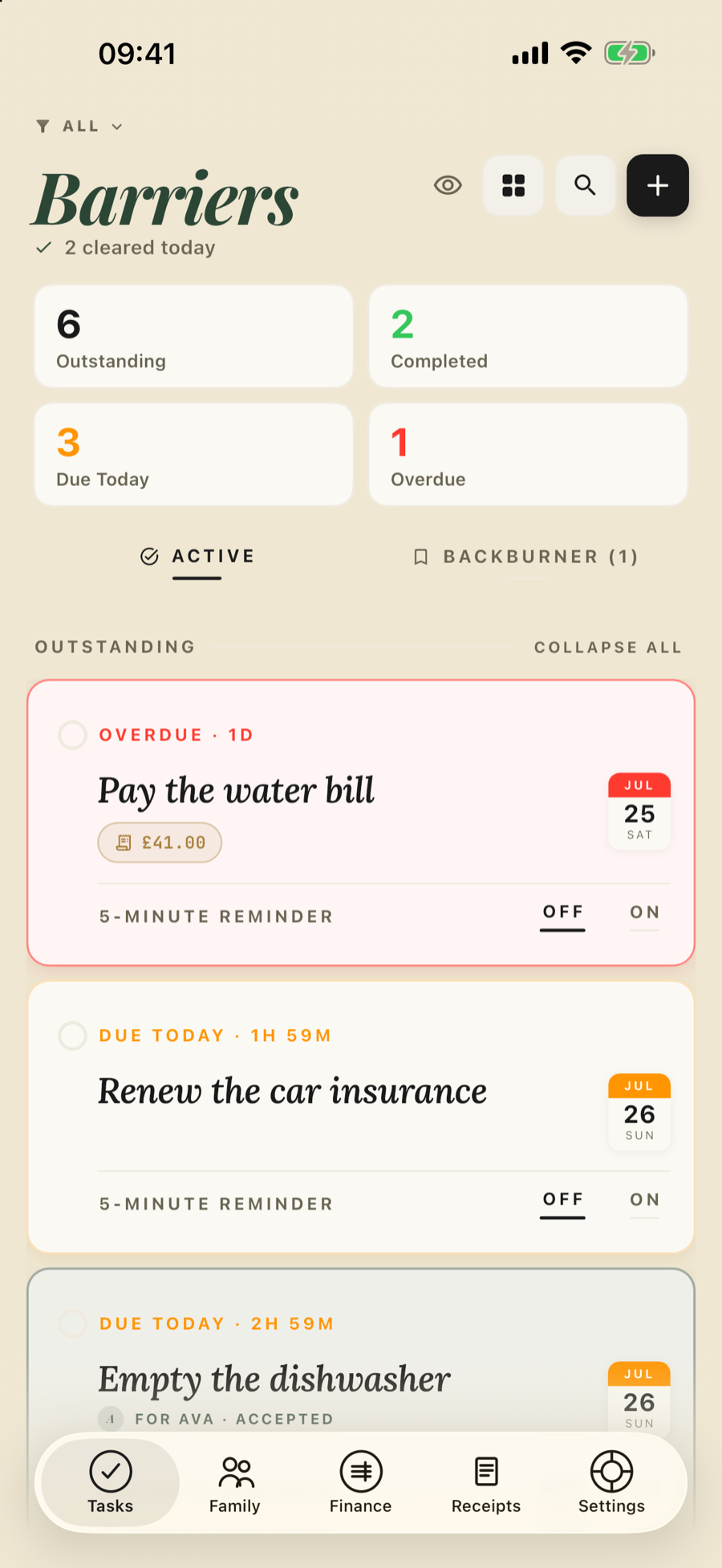 TasksPNG, 900 × 1955
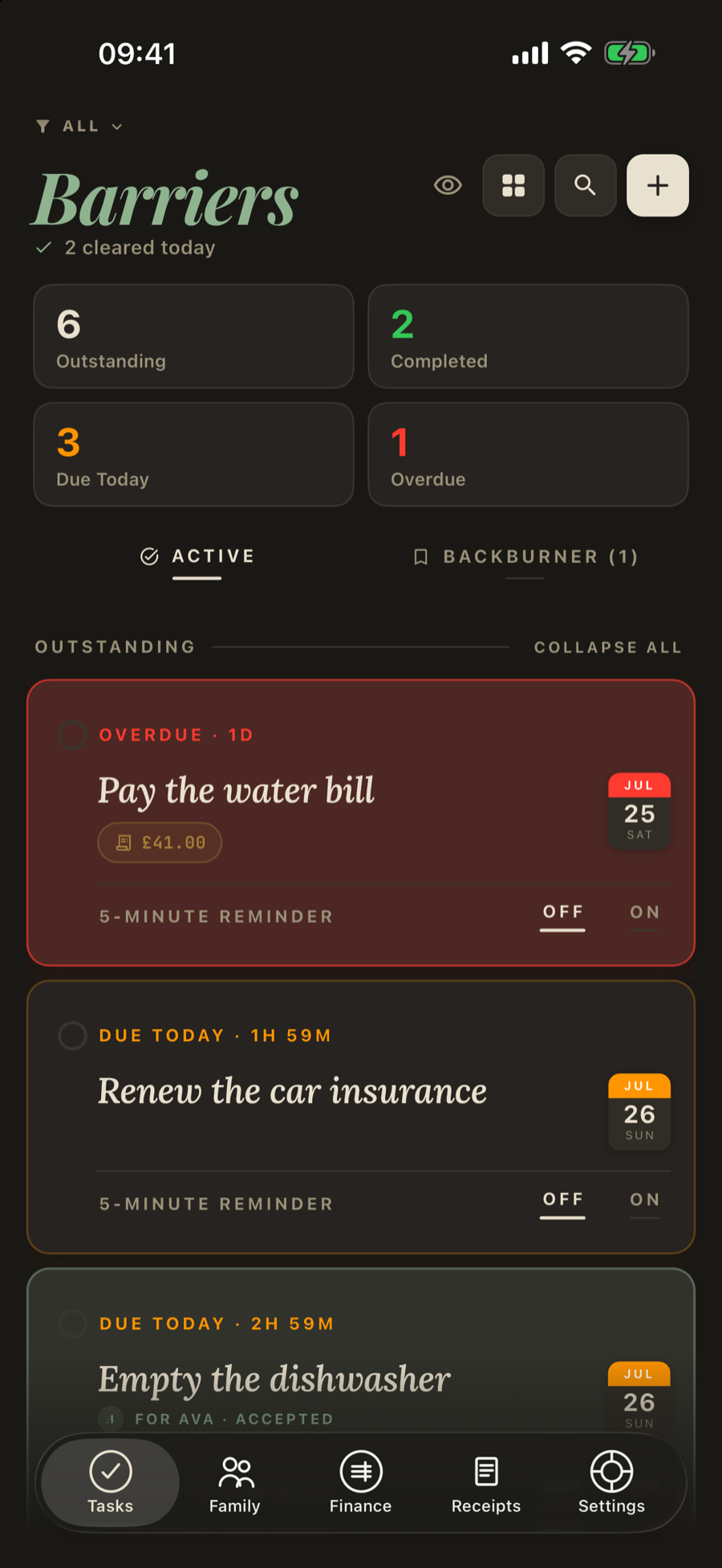 Night EditionPNG, 900 × 1955
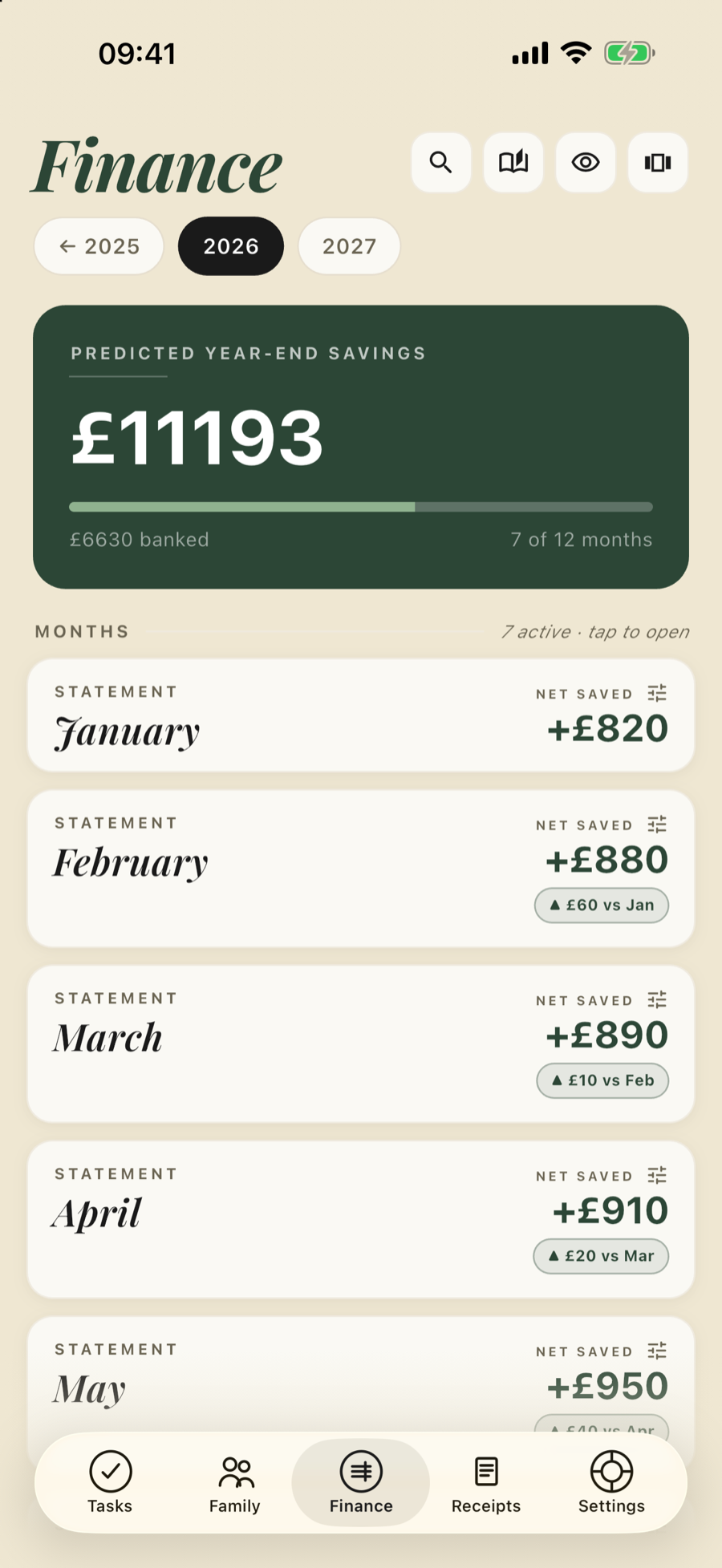 FinancePNG, 900 × 1955
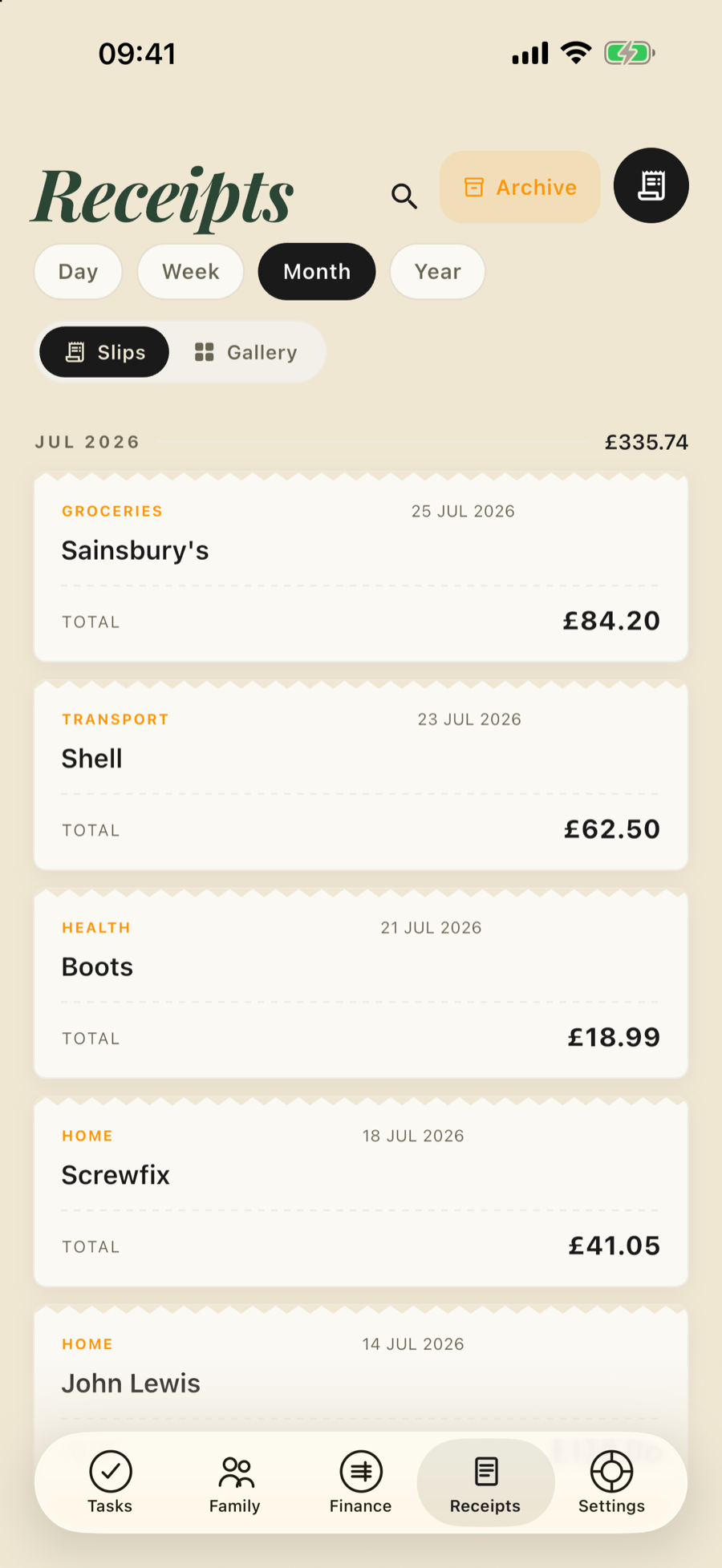 ReceiptsPNG, 900 × 1955
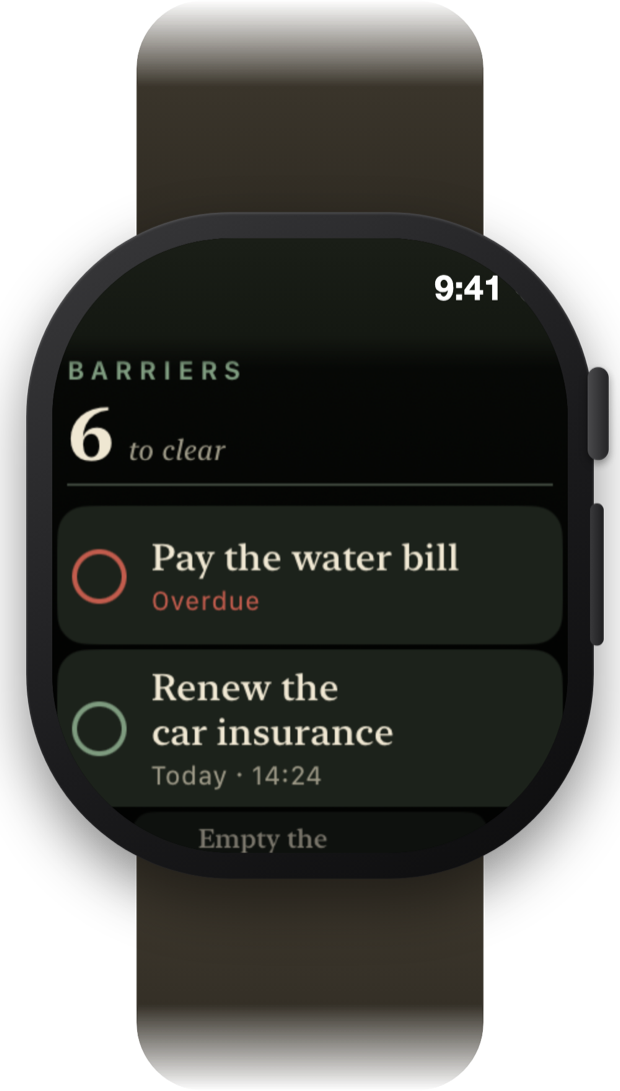 Apple WatchPNG, 620 × 1091
Screens are from the iPhone and Apple Watch apps. Please do not alter the icon. Larger screenshots, the iPad layout and the family screens are available on request.
Press contact
For interviews, review access to the paid plans, or assets not listed here, write to the Barriers team.
The Barriers Team, IV Technologies Ltd, United Kingdom. ivtechnologies.uk